


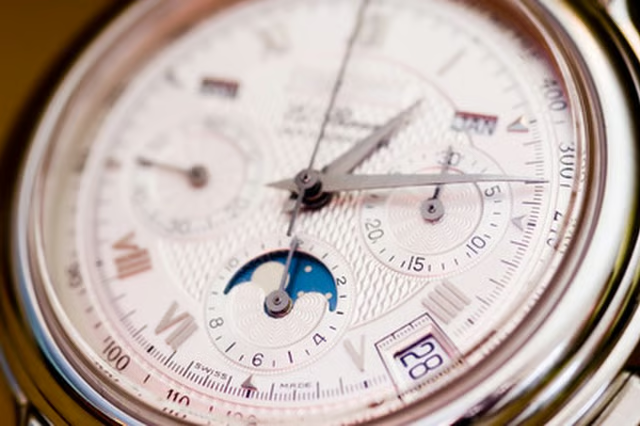
Geneva's Swiss watch industry began during the middle of the 16th century. Over the centuries, it became known worldwide for quality watches and clocks. Made from stainless steel, all Geneva watches are 100 percent hypoallergenic. Although they are water resistant, it is important to avoid wearing them while bathing or swimming for long periods of time to prevent damage. Geneva watches work well for occasional water contact such as light swimming, showering, washing your hands and most water sports with the exception of deep water diving. Geneva watches come in several styles and models, with different ways to set the date and time. The models include those with hour and minute hands; hour, minute and second hands; date boxes; multi-functions; chronograph and automatic watches.
Geneva Watches with Two or Three Hands
Pull the crown out until you feel a click.
Turn the crown counterclockwise until you have the correct time.
Push the crown back in to set the time.
Geneva Watches with Two or Three Hands and a Date Window
Pull the crown out until you feel two clicks. This second click position allows you to set the time.
Turn the crown counter clockwise until you have the correct time. Push the crown all the way in to set the time.
Pull the crown out until you feel one click. This first click position allows you to set the date.
Turn the crown counterclockwise until you have the correct date. Push the crown back in to set the date.
Multi-Function Geneva Watches
Pull the crown out until you feel two clicks. This second click position allows you to set the day.
Rotate the crown counter clockwise until you have the correct day. Push the crown in to set the day.
Pull the crown out until you feel a second click to set the time or the 24-hour hand.
Turn the crown clockwise until you have the correct time, then push the crown in to set it.
Pull the crown out just one click to set the date. Turn the crown clockwise until you have the correct date, then push the crown in to set it.
Geneva Chronograph Watches
Pull the crown out two clicks. This second click position allows you to set the time.
Turn the crown clockwise until you have the correct time, then push the crown in to set it.
Pull the crown out just one click to set the date. Turn the crown clockwise until you have the correct date, then push the crown in to set it.
Stop and start the chronograph by pressing the PA button, located above the crown.
Reset the chronograph by pressing the PB button just below the crown. The PB button returns the chronograph second and minute hands to their original positions of zero.
Automatic Geneva Watches
Wind the mainspring by turning the crown 15 to 20 times clockwise.
Pull the crown out until it clicks.
Turn the crown counterclockwise until you have the correct time, then push the crown in to set the time.